
PLAYMOVE / FIND A GAME
Hand tracking western games
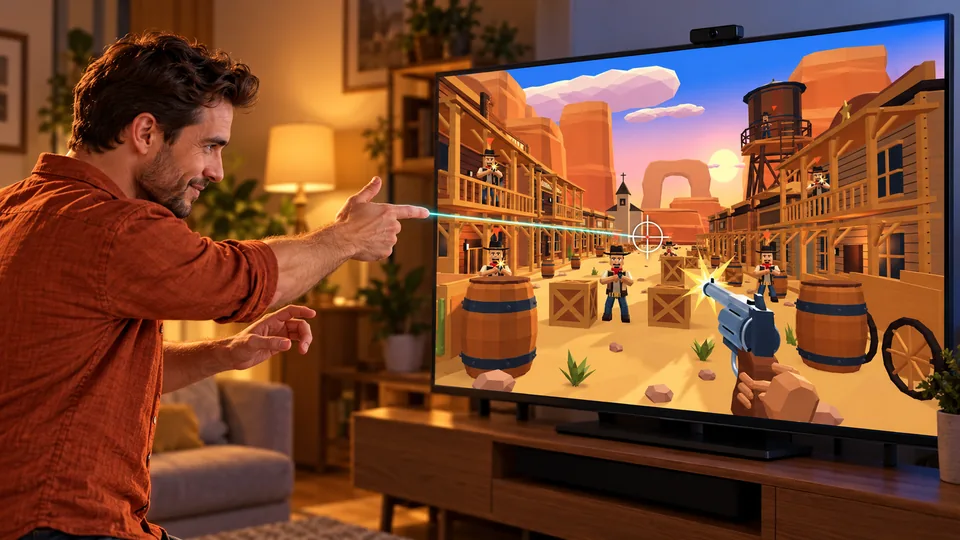
DUST & DRAW uses your hand as an input in an original 3D Western. Aim, take cover and select weapons. Comfort and precision modes have different firing controls.
Original browser games · Free · Camera starts only when you choose
21 free games to discover
Find your next game
Start with games for this topic, then explore more ideas with related controls or mechanics.
 For this topic
DUST & DRAW
Your hand is your revolver. Free Red Rock across five 3D Western worlds: frontier town, goldmine, train, canyon and ghost town. Face Black Jack Crow in the final duel.
Controls & rules
Calibrate your hand in the webcam. Point your index finger to aim. Comfort mode locks onto nearby visible enemies and fires automatically. Lower your hand to take cover and reload; raise it to return. Aim at WEAPONS briefly to choose another weapon while protected. Shoot gold stars for points and Dead Eye energy. Precision mode uses a folded thumb. Hold an open hand to reload, lean sideways to dodge and raise both hands for Dead Eye when charged. Tracking loss freezes combat. Finish missions to unlock worlds and weapons. Mouse or touch: aim and click. Q opens weapon selection, 1–5 switches directly, R reloads, hold C for cover, A/D dodges, Space activates Dead Eye, Escape pauses.
 Try this too
LUMEN TRAIL
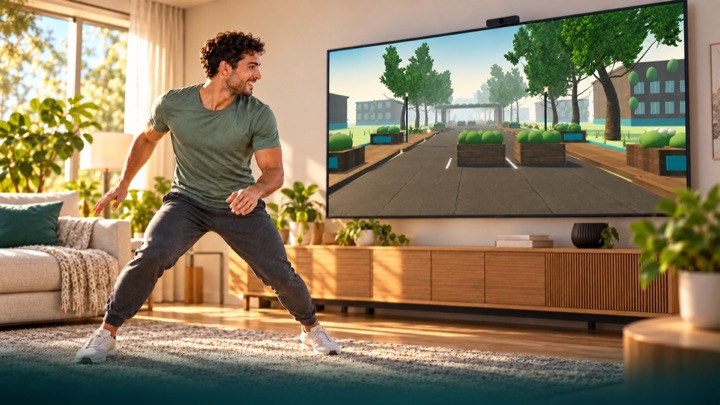
Run through an overgrown future city. Dodge, jump over roots and duck under pipes. Your movements bring the light back in first-person view.
Controls & rules
You run automatically in first-person view through parks, courtyards and an abandoned highway. Move sideways, make a small jump and crouch. The comfort profile uses raised hands for jumps. Calibrate first. Tracking loss never ends or pauses the run: you continue protected, without points or fitness time for assisted passages. Three-minute scored runs use fixed rules. Free training is unranked. Hold a raised hand over an upper side target to use menus. Keyboard: A/D or arrows, Space to jump, S/down to duck, Escape to pause. Touch: swipe sideways, up to jump and down to duck.
 Try this too
DANCE WORKOUT
Your body becomes the beat: travel through twelve distinct 3D worlds, hit neon blocks and master new combinations at changing tempos.
Controls & rules
Find new blockers under World Journey > New Blockers. Stand wide or close and combine hand targets with crouches. Calibration can use visible knees when feet are cropped; unreliable legs automatically select the separately ranked upper-body alternative. Hold Q for wide stance, release to stand close. Show shoulders, hips and hands. Calibrate and practice touches, side steps, jumping and ducking. Touch neon blocks with your hands; double targets need both hands. Small side steps, real jumps and held crouches control obstacles. The journey never stops on mistakes or tracking losses. No points or fitness time are earned while untracked. Menu targets stay at the upper outer sides and require deliberate holding. Choose the twelve-minute journey, any single practice world or the three-minute round. Twelve worlds, 96–148 BPM, increasing difficulty, original music and separate leaderboards. Without a camera: mouse or touch for hand targets, Shift for both hands, A/D or arrows to dodge, Space to jump, S/down to duck, Escape to pause.
 Try this too
NEON RUN
Move your body to guide a futuristic runner through a glowing 3D city. Change lanes, jump over hurdles and duck beneath neon gates.
Controls & rules
Show shoulders and hips to the camera. Calibrate and practice left, right, jumping and ducking. Move sideways to change lanes. Jump over low hurdles and hold a crouch beneath high gates. Your character runs automatically. Mistakes and brief camera losses never end your run. Three minutes through boulevard, tunnel and skyline. Hold your hand over the upper side menu targets. Keyboard: arrows or A/D, Space to jump, down/S to duck, Escape to pause. Practice does not enter rankings.
 Try this too
WALL SMASH
Punch through endless block walls. Gather wood, stone and ore, build a workbench and furnace and craft better gauntlets. Your account saves inventory and depth.
Controls & rules
Choose Dig tunnel or Open World at startup. Both share your save and workshop. Show both hands in the camera. Wave inside a big circle until it fills. Close your fists to punch blocks. Open and rotate your hands to see your neon fingers. Gather materials and craft stronger gauntlets in the workshop. Clear a 3 × 3 passage in the centre. You move deeper into the tunnel automatically. Both hands together: power! Mouse or touch: tap circles and blocks.
 Try this too
Mirror Time
Hit green stars, avoid red bombs. The mirror image flips the rules.
Controls & rules
Keep touching green stars until you collect them. Avoid red bombs: they explode immediately on contact. At higher levels the stars need a shorter hold. Your image is mirrored again and again. Three explosions end the round.
 Try this too
Chaos Chef
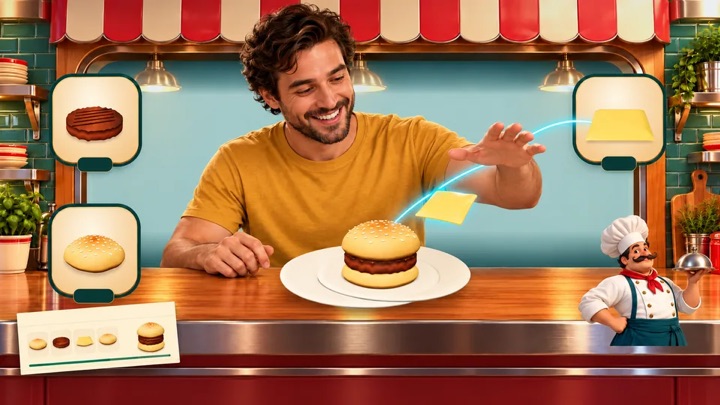
You are behind the diner counter: assemble orders, ring the bell and master milkshakes, ice cubes, drinks and cooking challenges.
Controls & rules
Move your hand into an ingredient field and guide it to the large plate. Follow the order ticket. Ring the bell when it matches. Use the bin to discard mistakes. Shake milkshakes, chop pickles, crush tomatoes, grate cheese, catch ice cubes and pour drinks. No pinch needed. With a mouse, click or drag ingredients and follow the cooking motions. Escape pauses.
 Try this too
Kung Foo
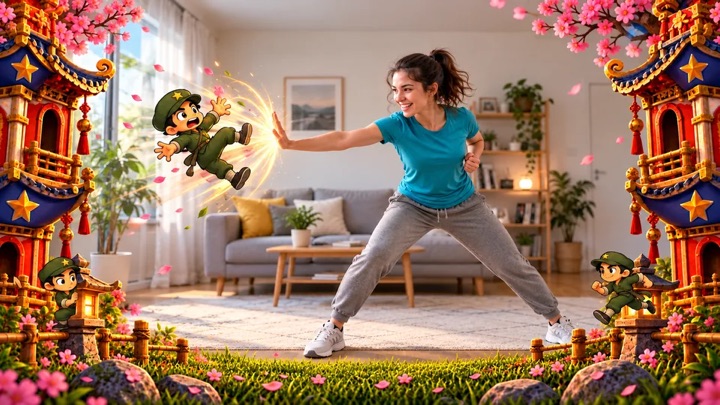
Punch, duck, dodge and block: turn your living room into a dojo.
Controls & rules
Defend yourself with movement: 👊 punch, 🙆 duck low, ↔ dodge to the open side, or 🙌 raise both hands to block. Large opponents need several hits, so watch their energy bar. A direct punch can still save you during special attacks; the matching move earns more points. Keep your combo going. Smash boards in the bonus round!
Understand the task
Start with comfort: aim near a visible enemy for assistance and automatic firing. Lower your hand for cover and reloading. Precision uses a deliberate thumb signal. Worlds and weapons are virtual game content, not training with real weapons.
Which option suits you?
| Option | Task or route | What to check |
|---|---|---|
| DUST & DRAW | Aim with your hand; comfort or precision | Lower the hand for comfort cover |
Start your first round
- Calibrate the visible hand area.
- Practise aiming and lowering your hand in comfort mode.
- Switch to precision controls afterwards.